

Add Songs to Your Events
Your singers always ask the same question before a rehearsal or concert: which songs are we singing? With ChoirMate, administrators and conductors can link songs directly to an event, so everyone knows exactly what to prepare.
Why Link Songs to Events?
When you add songs to an event, your singers get several benefits:
- •They can immediately see which songs to rehearse or perform
- •They can tap a song to play its practice tracks right away
- •Songs are highlighted in the repertoire leading up to the event
- •Everyone has the same song order, and the conductor does not need to send it separately
How to Add Songs
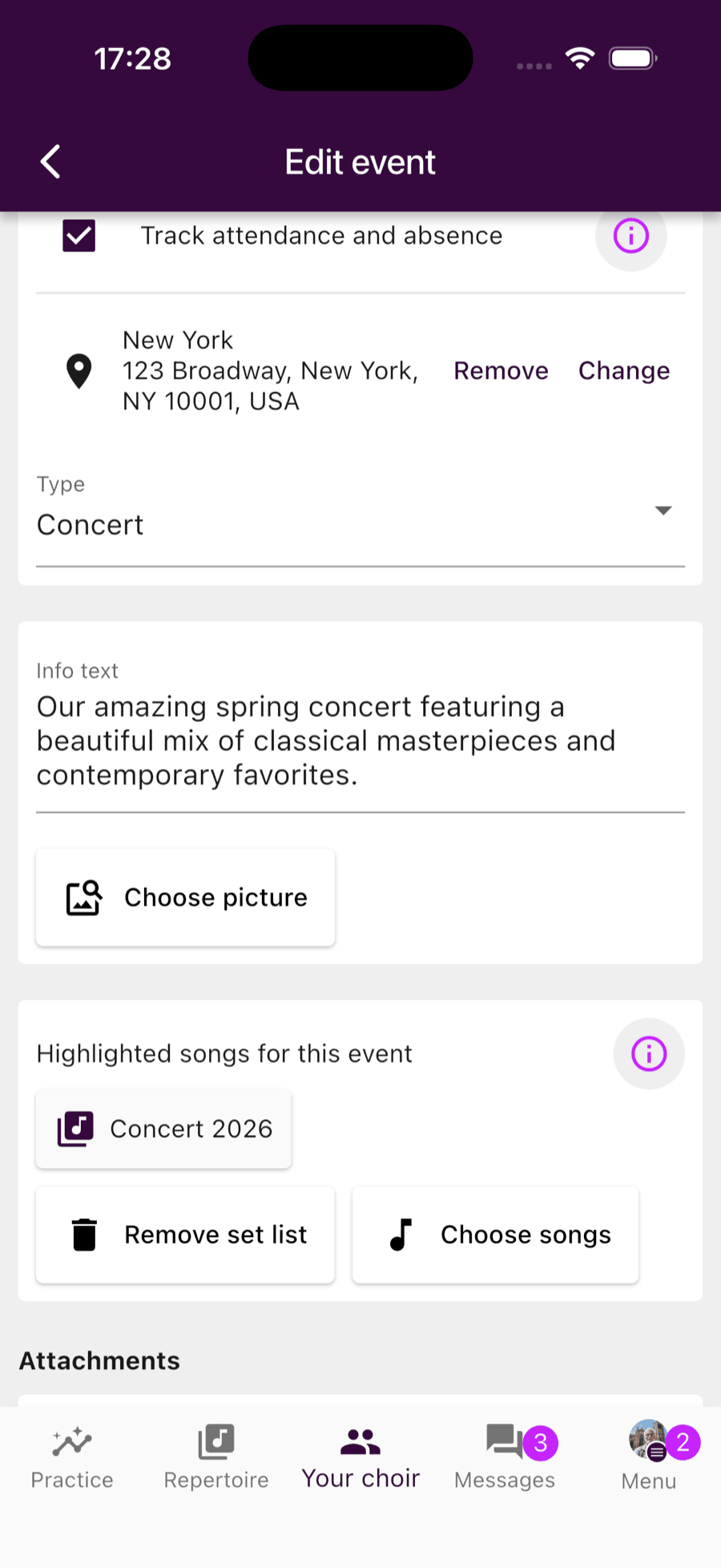
Open the event and tap the edit button at the top. Scroll down, and you will find the "Highlighted songs for this event" section. Here you have two options:
Choose individual songs
Tap "Choose songs" to search through the repertoire and pick the songs you want. You can select multiple songs at once, and they appear in the list in the order you chose them. The order can easily be changed by dragging and dropping.
Or add a set list
If you have already created a set list in the repertoire, you can link it to the event instead. All songs in the list are added automatically. Perfect for concerts where the program is already decided.
What Your Singers See
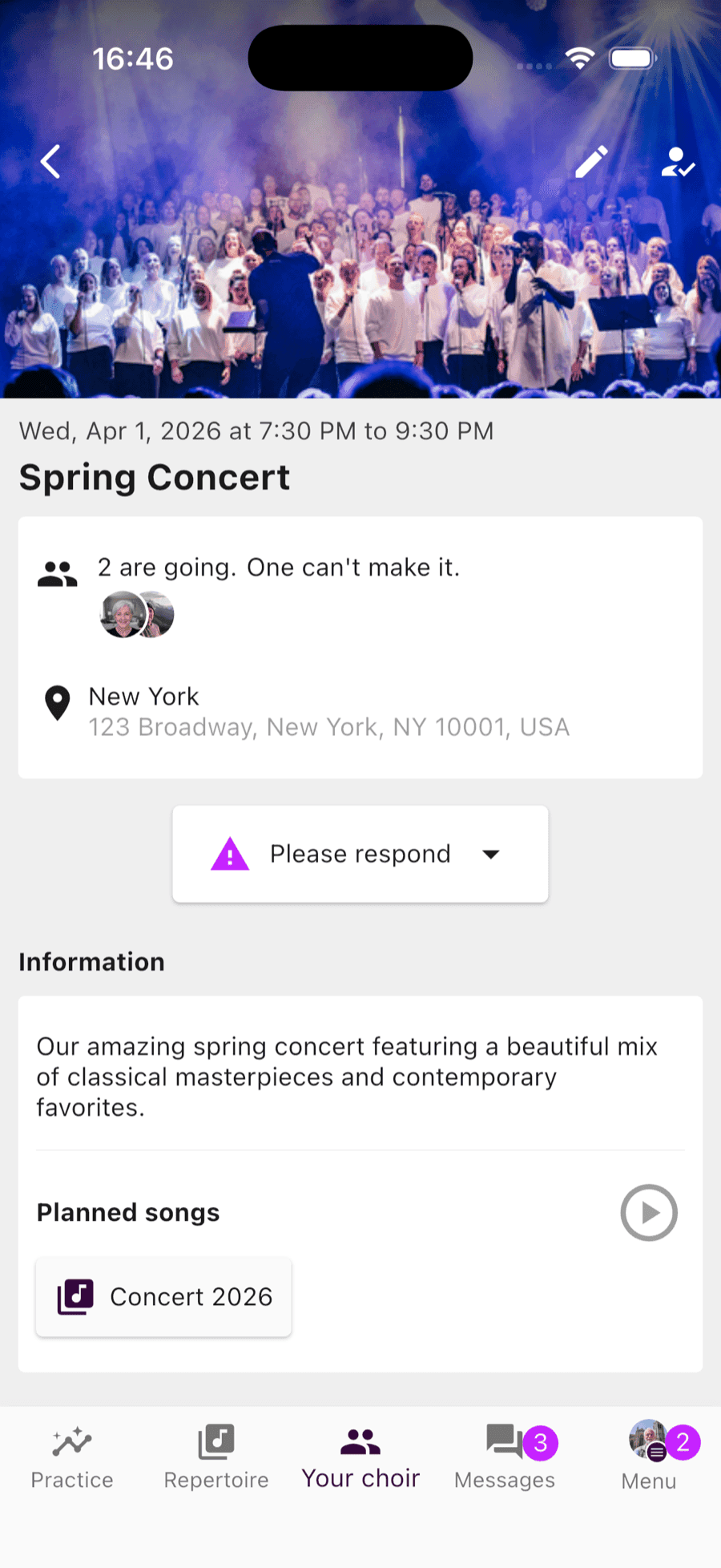
When a singer opens the event, they see a "Planned songs" section at the bottom. If you added a set list, they can tap it to see all songs in order. Each song shows the title, composer, and a number indicating its position in the program.
Singers can tap a song to go straight to the repertoire, where they will find practice tracks, sheet music, and lyrics. They never need to search for the material on their own.
If your choir has a premium subscription, singers can also press play to listen to all the planned songs as one continuous playlist.
Tips for Conductors
- 💡For regular rehearsals, use "Choose songs" to show singers what to prepare for this week.
- 💡For concerts, create a set list in the repertoire and link it to the event. That way you can reuse the same program for multiple events.
- 💡Singers can sort songs by confidence in the practice list, so they can focus on the songs they know the least.
Get Started
Planned songs are available for all choirs with a ChoirMate subscription. The playlist feature for planned songs requires ChoirMate Premium.
Try ChoirMate for free and let your singers always know what to practice.